
Diwali is the one festival where everyone hosts something. The office does a lunch and a best-dressed contest, the society does a lamp-lighting and a rangoli competition on the lawn, and at home there's a card party on one night and the family Lakshmi Puja dinner on another. Four events, four guest lists, one phone.
In 2026, Diwali (Lakshmi Puja) falls on Sunday, 8 November. Dhanteras is on Friday the 6th, Naraka Chaturdashi (Chhoti Diwali) on Saturday the 7th, and Bhai Dooj on Tuesday the 10th. A Sunday Diwali means the office party lands on Dhanteras Friday, the society event on Saturday evening, and the home celebrations run the whole long weekend. Here's how to host each one from a single link, with the RSVPs, tasks and photos in one place.
How to host a Diwali party in 2026
Step 1: Send one invitation, not thirty forwards
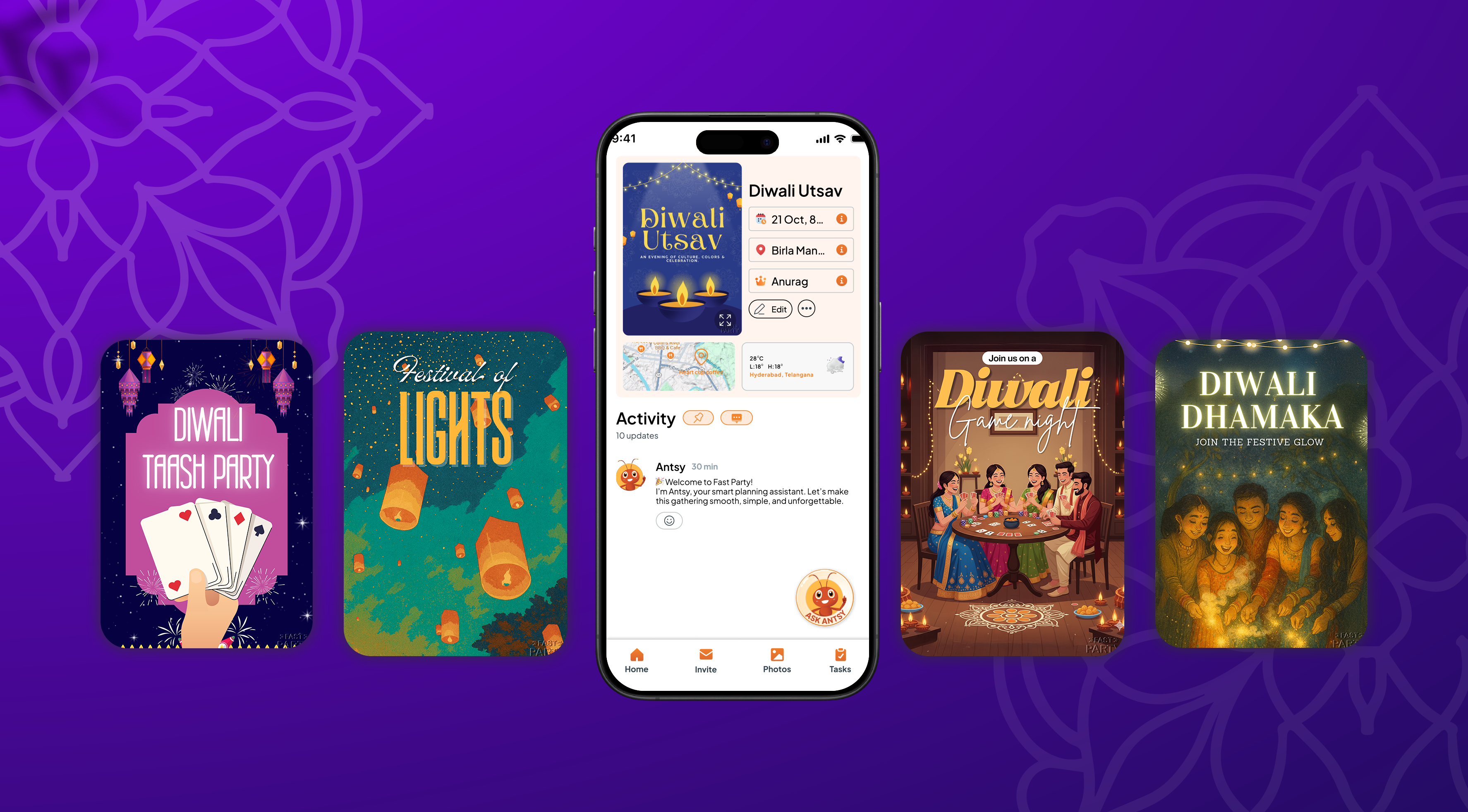
Start with a Diwali invitation template — diyas, rangoli patterns, or a clean minimal design for the office — and add the date, time and venue. The event page is where the details live: parking, dress code, "kids welcome", the potluck list. Share the link on WhatsApp and guests RSVP with one tap, no app install needed.
- Office Diwali lunch (Friday 6 Nov): a corporate-friendly template, "ethnic wear encouraged", and a headcount for the caterer by Wednesday.
- Society Diwali (Saturday 7 Nov): a bright, family template; print the QR code for the noticeboard and the security desk so walk-ins can scan to RSVP.
- Diwali card party or Lakshmi Puja dinner at home: a warm, personal template and a plus-one count so you know how many thalis to lay.
Step 2: Let the RSVPs do the counting
The single biggest Diwali headache is not knowing how many people are coming. Sweets boxes, the caterer's count, the number of return gifts — all of it depends on a number you're guessing at.
- Guests confirm with one tap; you see the live count on the event page.
- Ask for the adults/kids split so the prasad line and the return gifts add up.
- On the day, guests can share their ETA — so you know the 7pm rush is really a 7:45 rush.
Step 3: Put the plan in the Event Schedule
Dress code, the lamp-lighting time, "bring your own diya", the rangoli contest rules — add it to the event page and the Event Schedule, and everyone who RSVP'd sees it. If a time changes, change it once and guests see the update.
- Office: "Lamp lighting at 12:30, best-dressed judging at 1:15, lunch after."
- Society: "Rangoli entries by 5pm, lamp lighting at 6:30, please keep the lawn clear of crackers."
- Home: "Cards from 8, dinner at 10, and yes, Nani is dealing."
Step 4: Give every group its own Circle
Colleagues, neighbors, family and the college gang don't need to see each other's plans. Create a Circle for each — "Block A Residents", "Sales Team", "Cousins" — and schedule the Diwali events inside the right one. The office lunch, the society evening and the card party each go to exactly the people who should see them, and next year you publish them again in a tap. If you already run a Circle for your group, Diwali is just another event on its calendar.
Step 5: Print the QR code for the people who aren't on your phone
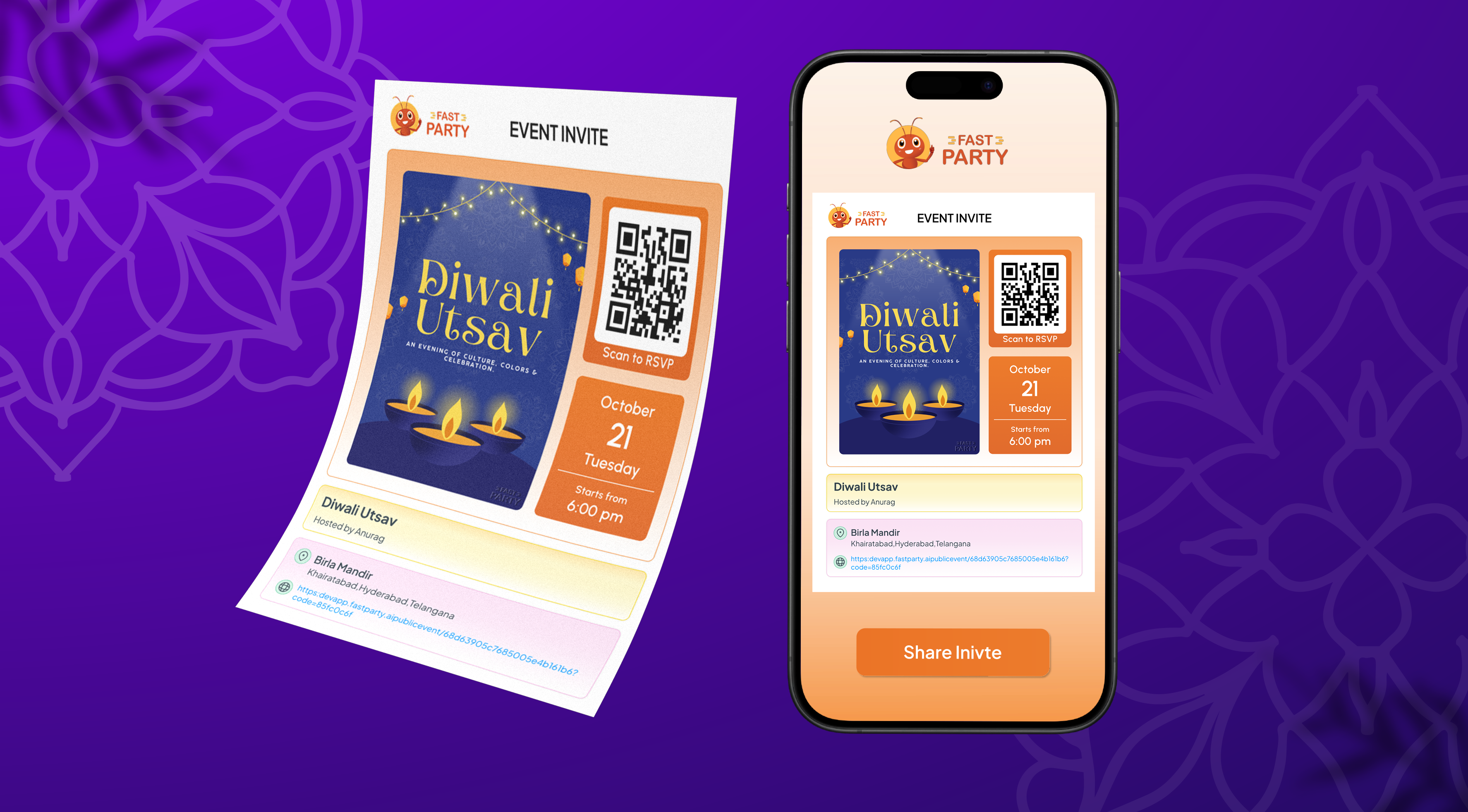
Every event page has a QR code. Print it on the noticeboard poster, the office bulletin board, or a small card handed to neighbors door to door. Scan to RSVP — no phone number needed, which is exactly right for elderly guests, new residents and the security desk.
Step 6: Split the work with Tasks
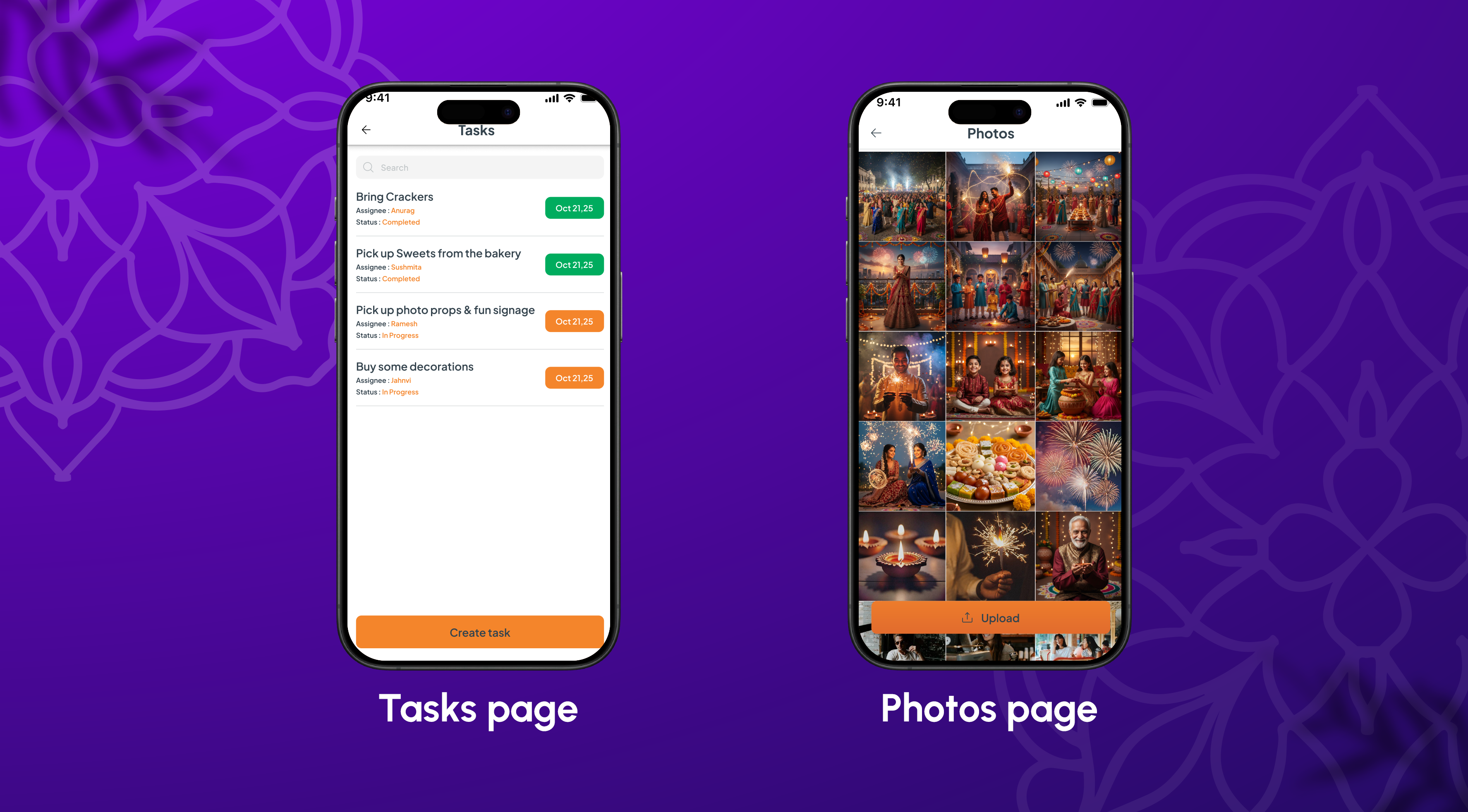
Diwali hosting is a dozen small jobs: sweets order, marigolds, diyas and oil, the sound system, rangoli colors, return gifts, the fire-safety corner for the society event. Assign each one to a person in the event with a due date, and you see what's done at a glance. Less chasing, and nothing gets lost in the group chat.
Step 7: Make the dinner a potluck
For the family dinner and the society lunch, turn on the Potluck Manager with categories — sweets, savories, a main, drinks, the vrat-friendly plate for those fasting — and let each household claim one. No four boxes of kaju katli and no one bringing the samosas.
Step 8: Decor and dress, in one line each
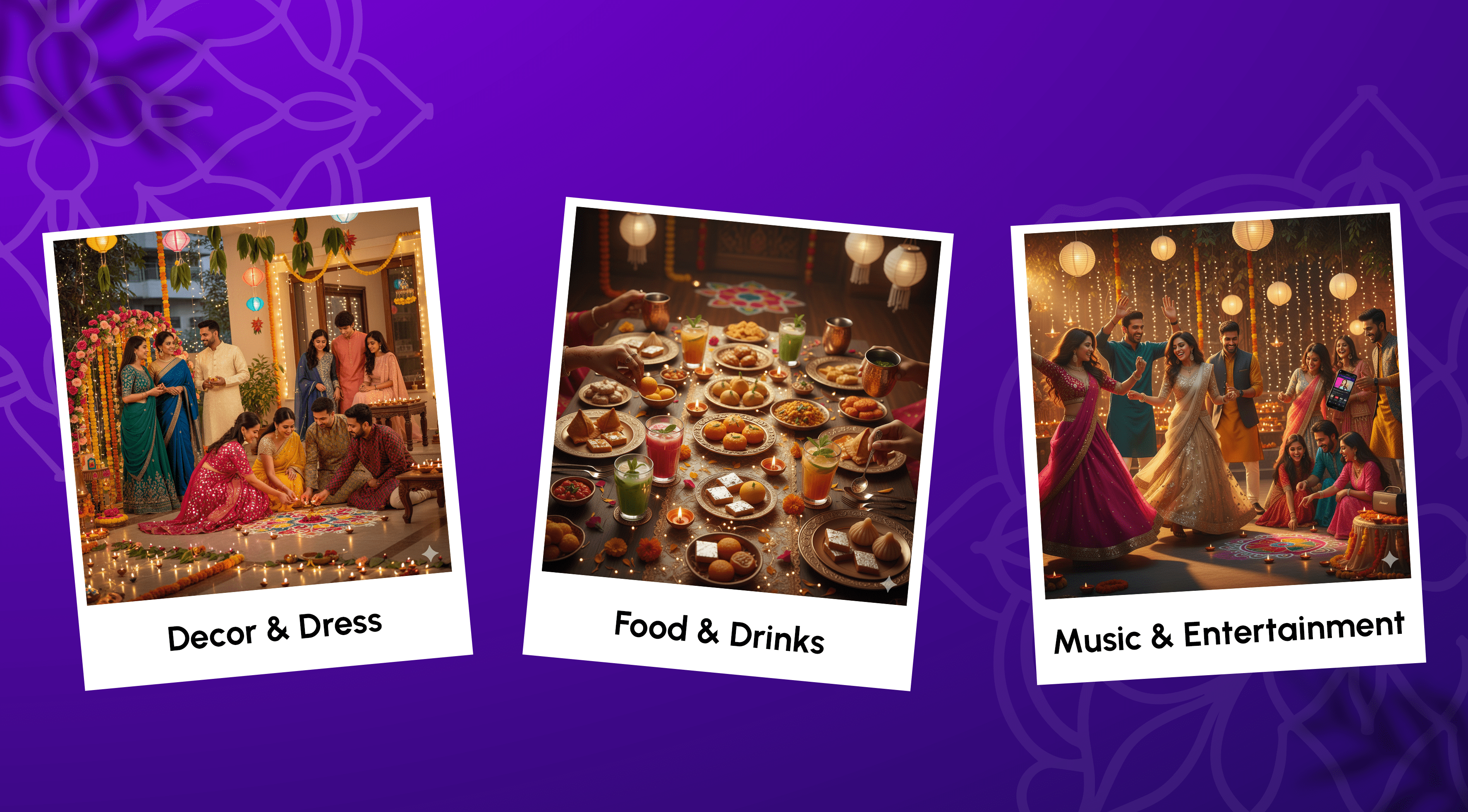
- Decor: one grand rangoli at the entrance, a wall of diyas or fairy lights behind sheer drapes, marigold strings on the doorway — and one photo corner. Our Diwali decor guide has the full list for home, office and society.
- Dress: set a theme on the invitation — "Gold & Glow", "Mirror Magic", or plain "ethnic wear" for the office — and the best-dressed contest judges itself.
Step 9: Food — order to the headcount
Laddoos, barfi and kaju katli for the sweets tray; samosas, chaat and dahi puri for the snack table; sabudana khichdi or fruit chaat for anyone fasting; mocktails for the kids and the drivers. Order against the RSVP count on Thursday, not the guess on Tuesday.
Step 10: Share the photos in one album
Diwali photos scatter across forty phones by midnight. Add the best shots to the event's shared album and everyone has them by Monday — the lamp-lighting, the rangoli winner, the card table at 1am.
Running it for a society or a company?
An Organization keeps every Circle and event under one roster, lets you send updates to all members at once, and gives the committee a shared view of RSVPs and tasks. See how Organizations work.
Plan it with Claude
If you use Claude, tap the Claude icon at the top of any Fast Party page to add the connector. Then ask: "Set up our society's Diwali on 7 November: lamp lighting at 6:30, rangoli contest at 5, dinner for 200." Claude creates the event and drafts the invitation for you. See how to plan with AI.
Bottom line
Diwali 2026 is a Sunday, which means a whole weekend of hosting: the office on Friday, the society on Saturday, the family on Sunday. Put each one on a link, let the RSVPs do the counting, split the jobs, and spend the evening at the lamp-lighting instead of on the phone. Start with a Diwali invitation template from the Celebration Hub.
Coming out of the October run? Here's how we handled Dussehra and Navratri the same way.
Get Fast Party on Google Play or the App Store, or use it on the web.