

Nobody on Monday's call will know what went into the team offsite. The venue she rejected after a four-hour drive to see it in person. The projector she fixed at 11 pm the night before. That she remembered Jane is vegan, and added the pottery workshop because a quiet new joiner once said she loved pottery.
By the time everyone arrived, it all just worked. On Monday someone wrote "Great offsite!" in Slack, and that was the whole thank-you.
If you're the one organizing your team's offsite this year, this guide is for you: what to decide first, a week-by-week plan, a sample two-day agenda, and how to keep every detail in one place instead of a spreadsheet, an inbox and a 60-person WhatsApp group.
Start with why, then the three numbers
Before you look at a single venue, write one sentence: what should the team walk away with? Planning next year's roadmap, getting a newly merged team to trust each other, or simply a thank-you after a hard quarter. That sentence decides how much of the agenda is work and how much is fun.
Then pin down three numbers with whoever signs off:
- Headcount. Who's invited, and are partners or remote colleagues included?
- Budget per person. Venue, rooms, food, travel and activities all come out of it.
- Dates and length. One day, an overnight, or two nights. Avoid quarter-end and school holidays.
The week-by-week plan
8 weeks out: lock the basics
- Agree the purpose, headcount, budget and dates.
- Shortlist three venues within easy travel of most of the team.
- Send a save-the-date so people can block their calendars.
6 weeks out: see the venue, send the invite
- Visit the top venue in person if you can. Check the meeting room, the Wi-Fi, the projector, the food, the rooms and how long it really takes to get there.
- Book it, then send the real invitation with the dates, the place and an RSVP deadline.
4 weeks out: ask before you assume
- Collect food preferences and allergies with the RSVP: veg, non-veg, vegan, nut-free, no alcohol.
- Collect travel details: who's flying in, when they land, who needs a room, who's sharing.
- Share the numbers with the venue and caterer while there's still time to change the menu.
2 weeks out: the agenda and the jobs
- Publish the agenda, so people know what to pack and when they're free.
- Give every job an owner: the bus, the speaker, the workshop host, the awards, the photographer.
- Put the practical stuff in one place: venue map, packing list, dress code, emergency contacts.
The week of: confirm everything
- Reconfirm the headcount and the food numbers with the venue.
- Send one clear message with the meeting point, the time and what to bring.
- Test the AV. Then test it again.
On the day, and after
- Know who has actually arrived, so the bus doesn't leave someone behind and the kitchen cooks for the right number.
- Keep the best photos in one album.
- Ask for feedback the next day, while people still remember what worked.
A sample two-day offsite agenda
Day 1
- 10:00 Arrive, check in, coffee
- 11:00 Kick-off: why we're here and what we want to leave with
- 12:30 Lunch
- 14:00 Working session in small groups
- 16:30 Something with no laptops: a workshop, a walk, a game
- 19:30 Team dinner and awards
Day 2
- 08:00 Breakfast, and an optional run or yoga
- 09:30 Share-back from yesterday's groups
- 11:00 Decisions and owners for the next quarter
- 12:30 Lunch and departures
Leave gaps. The conversations people remember usually happen in the half hour nobody scheduled.
How to run your offsite on Fast Party
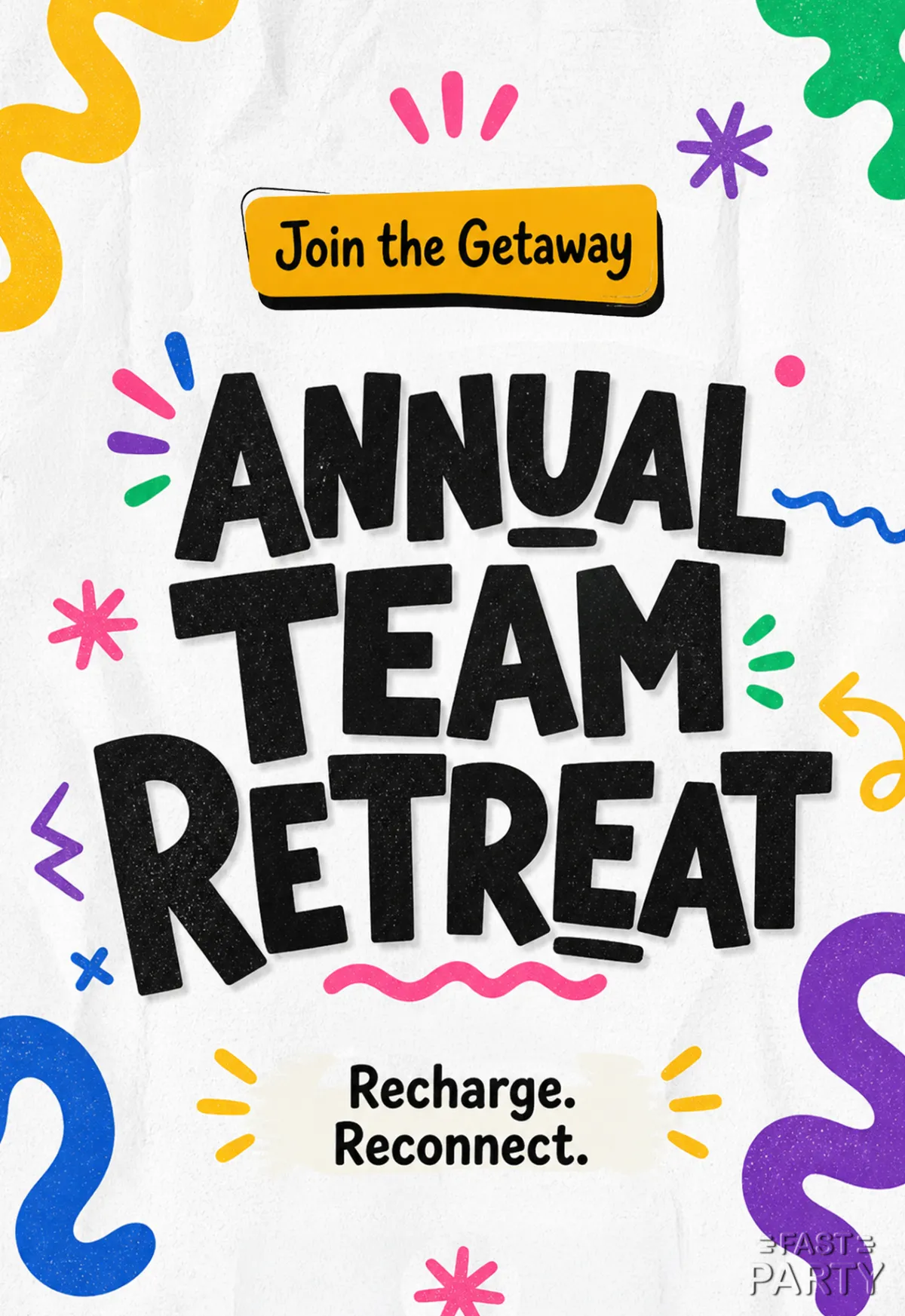
1. Create the event
Pick an invitation, add the dates, the venue and the RSVP deadline, and share the link with the team.
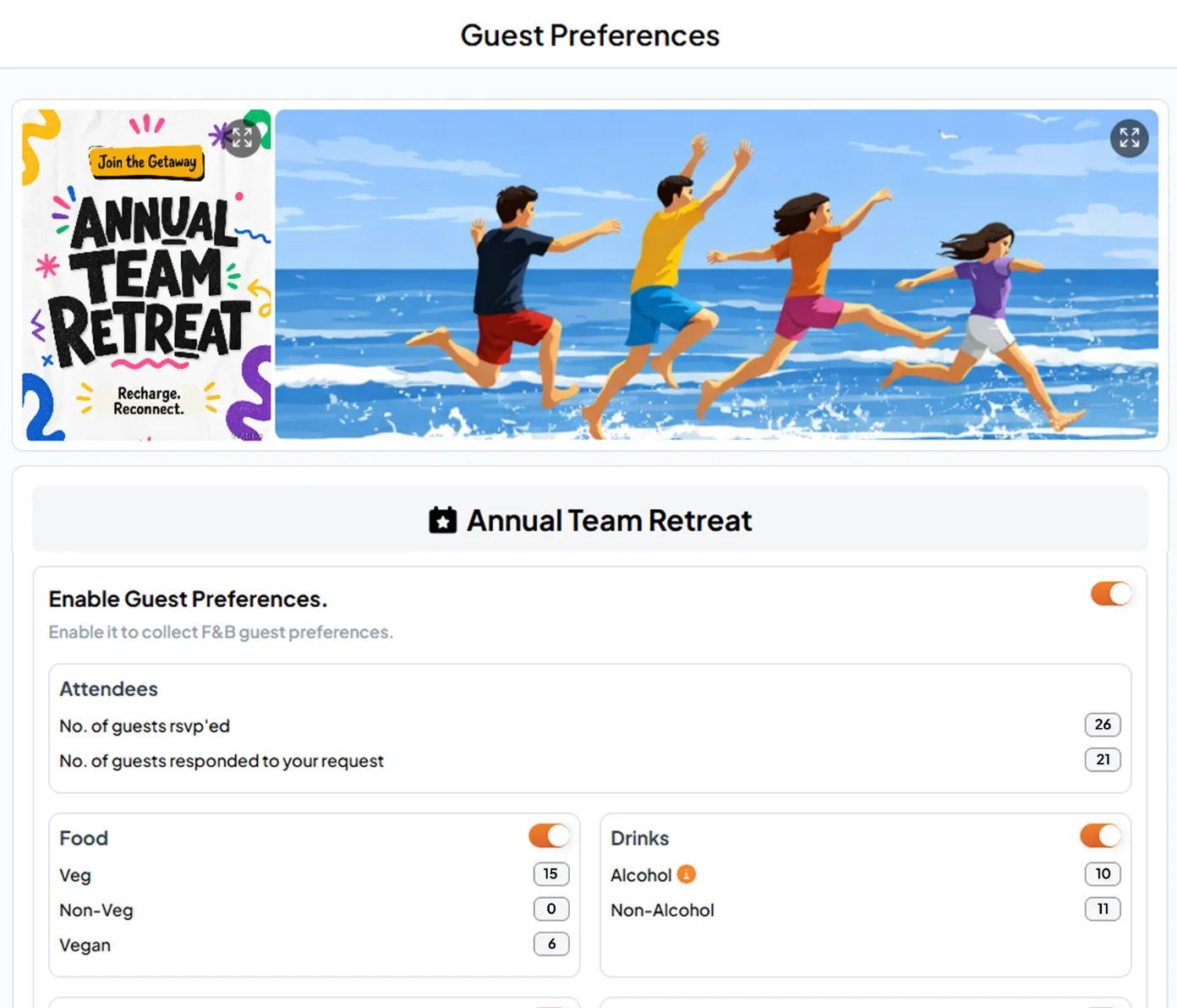
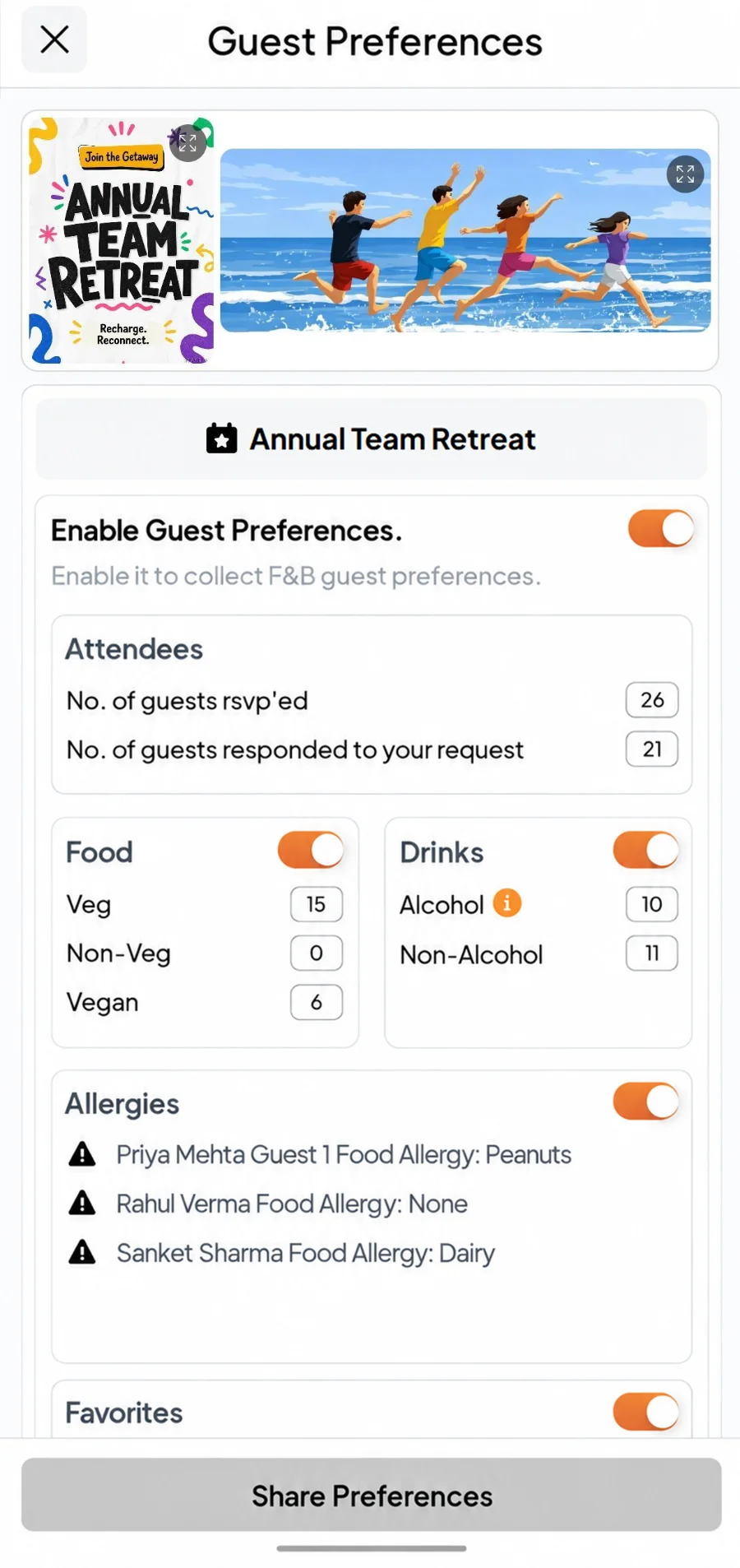
2. Turn on guest preferences
Everyone answers food, allergies and drinks with their RSVP, and you see the totals on one screen, ready to send to the caterer. Jane being vegan is on the list, not in your head.
3. Collect travel and stay
Turn on Travel & Stay and colleagues add their flight or train, arrival time and room needs. You get one list for pickups and room allocation.


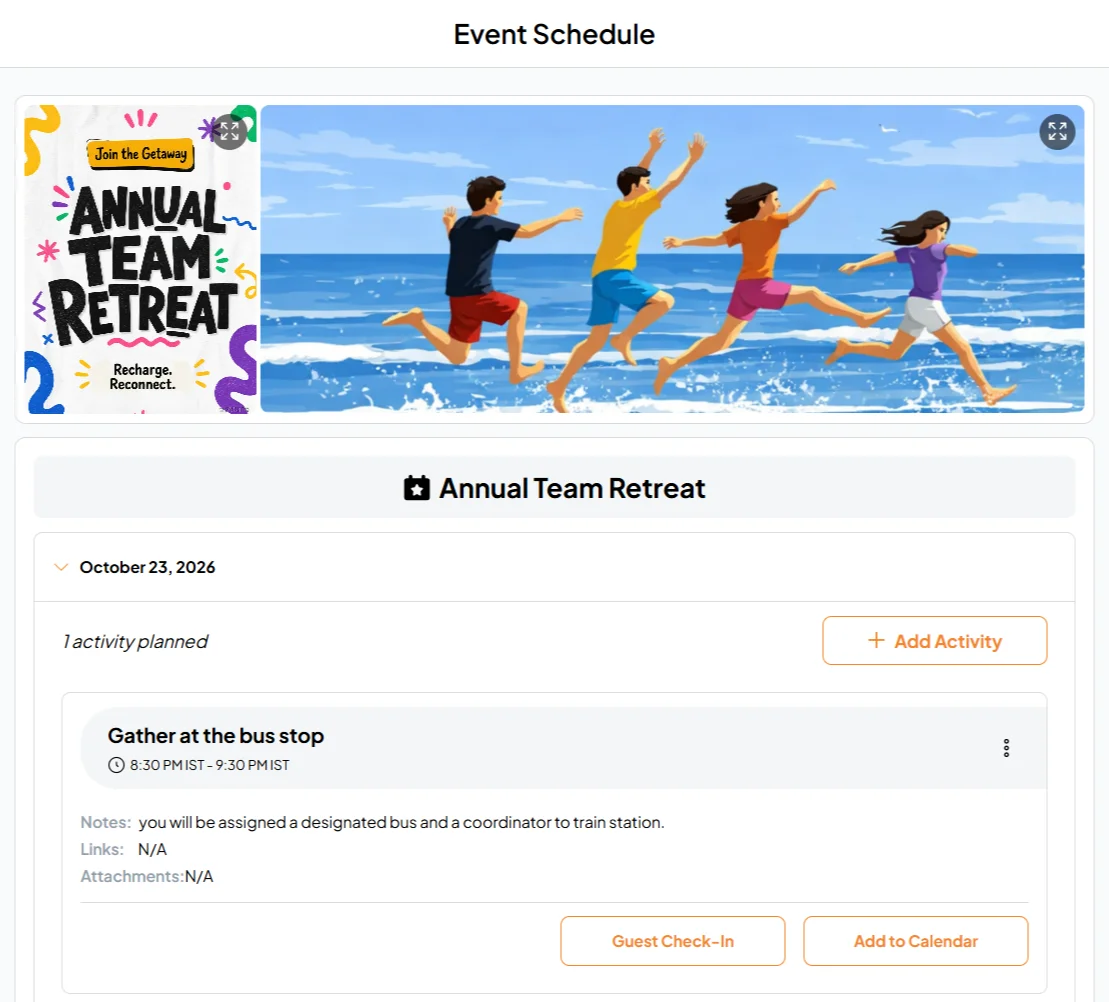
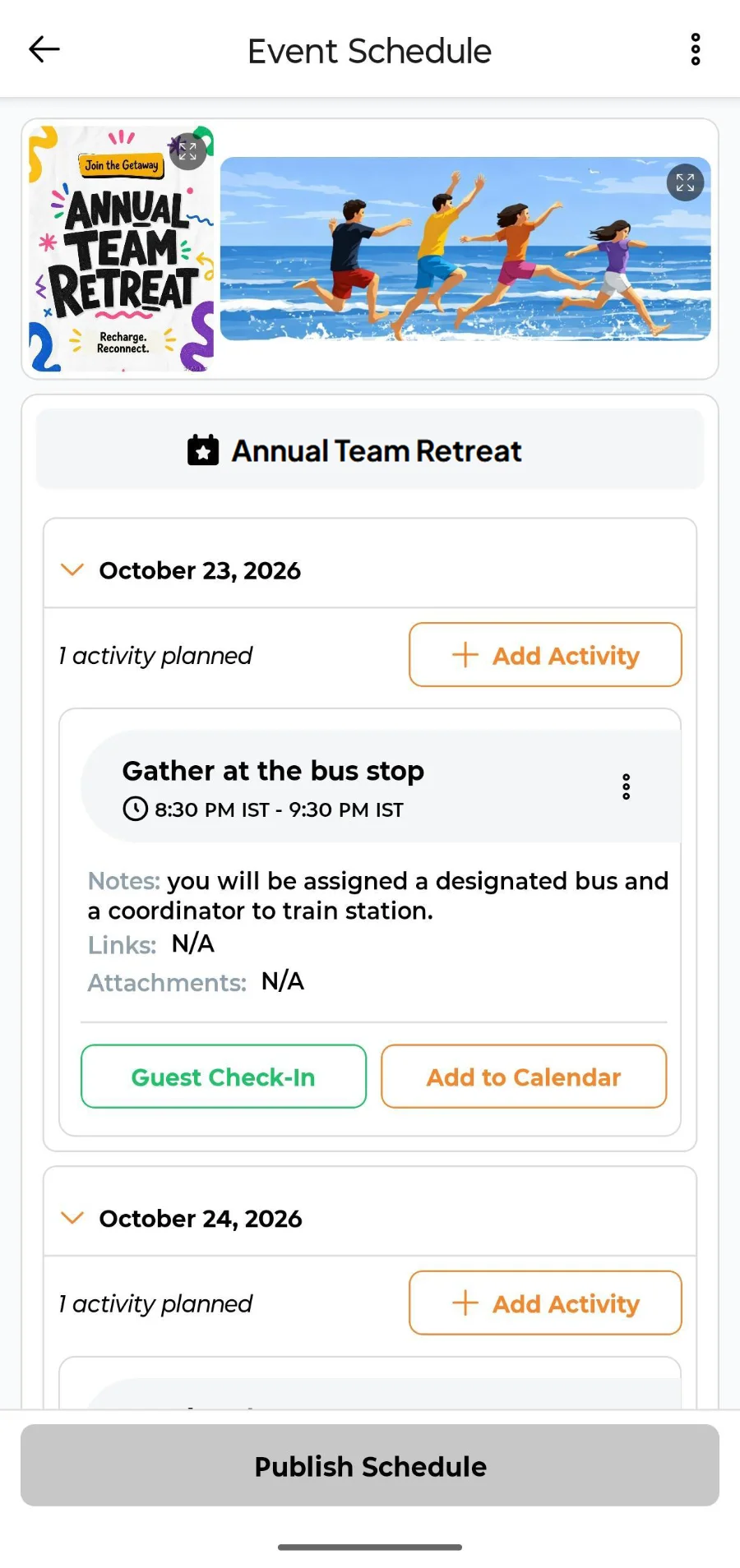
4. Publish the agenda
Lay out both days in the Event Schedule. When a session moves, change it once and everyone sees the new time.
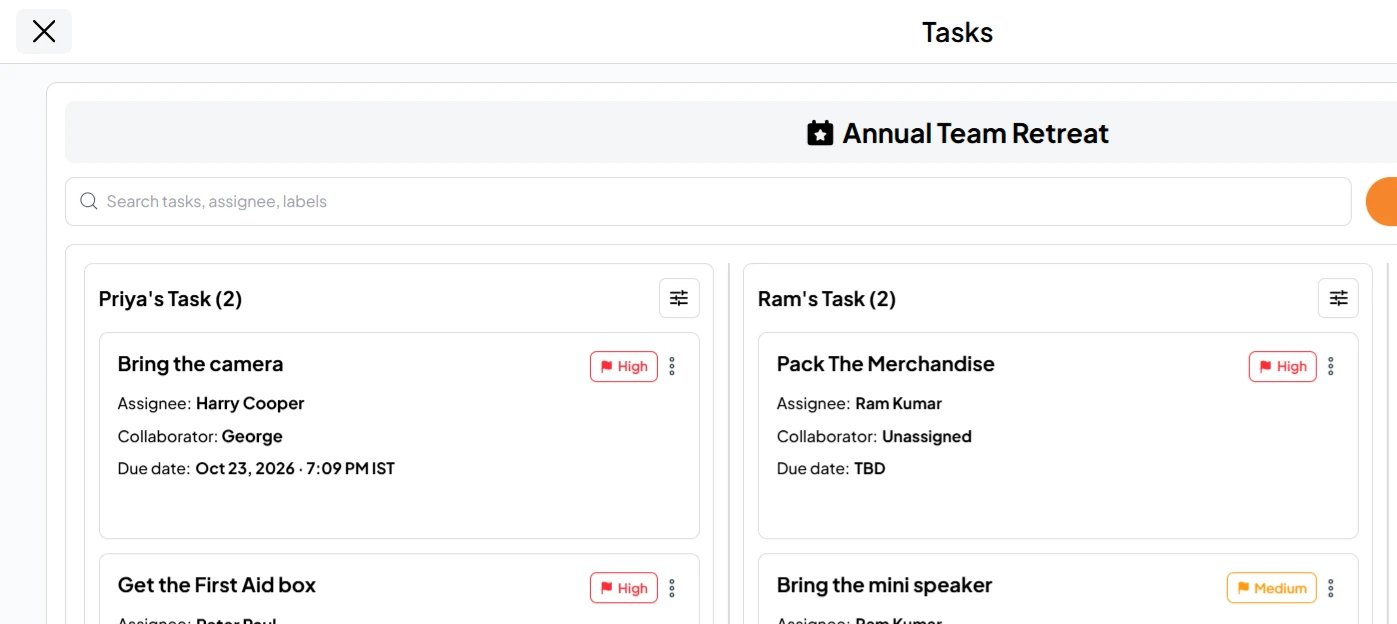
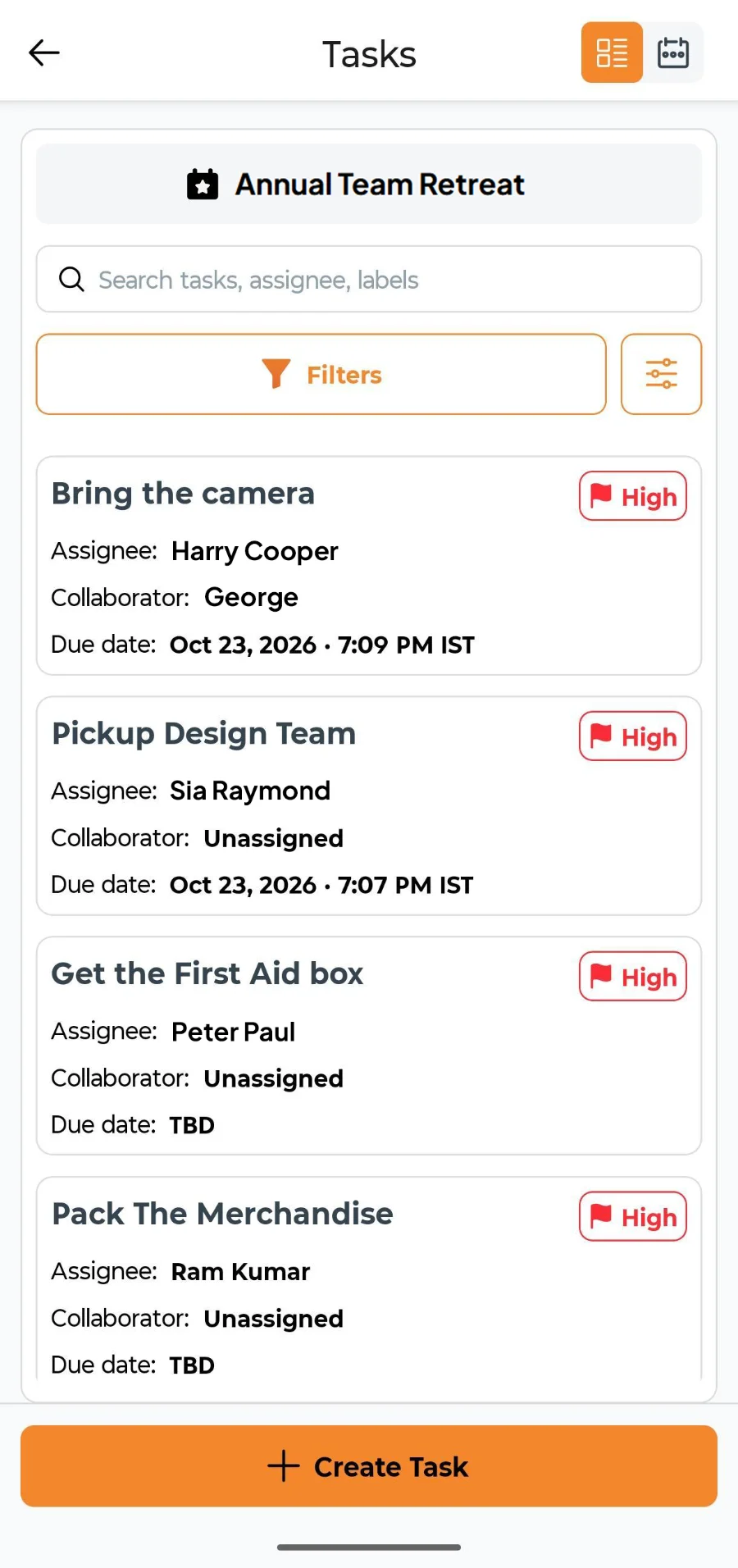
5. Hand out the jobs
Add each job as a task with an owner and a due date: the bus, the AV, the workshop, the awards. Make your co-organizers co-hosts so they can help run the event with you.
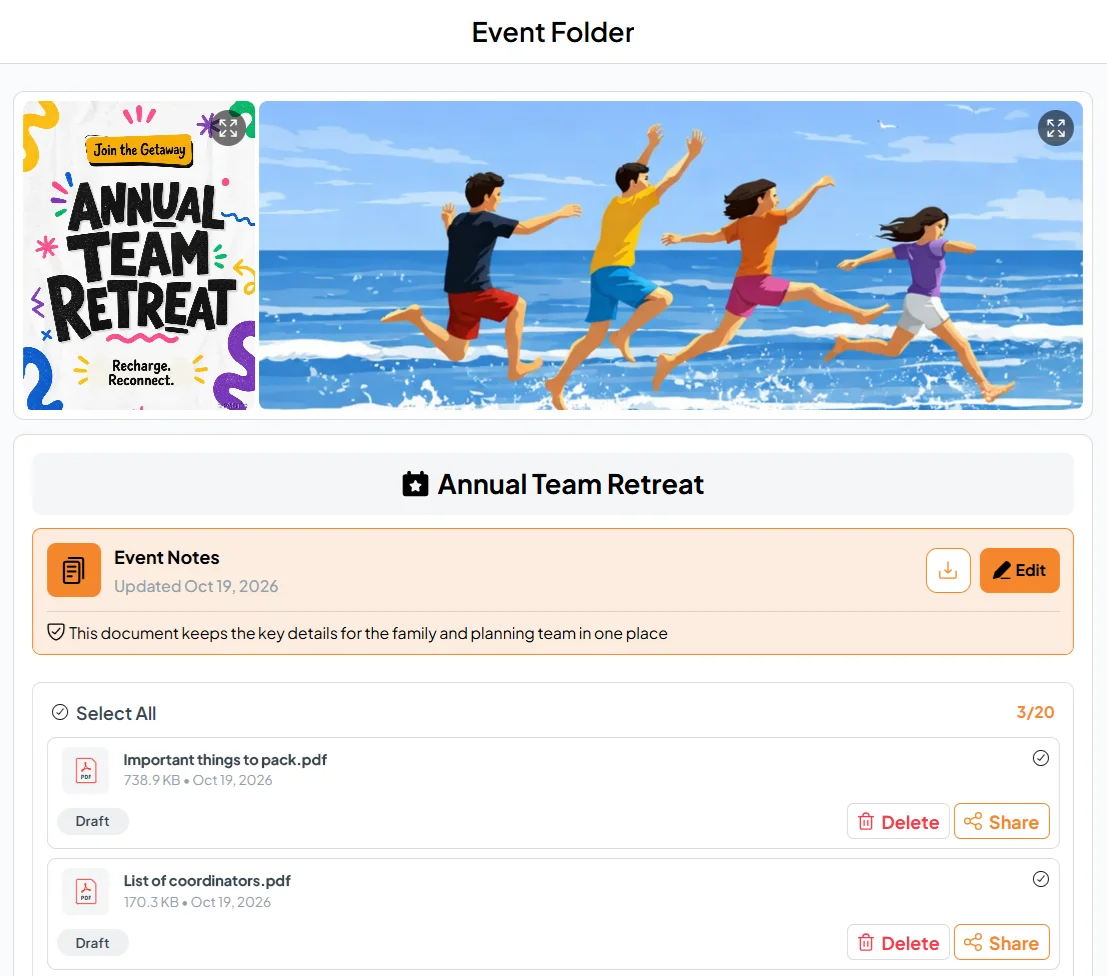
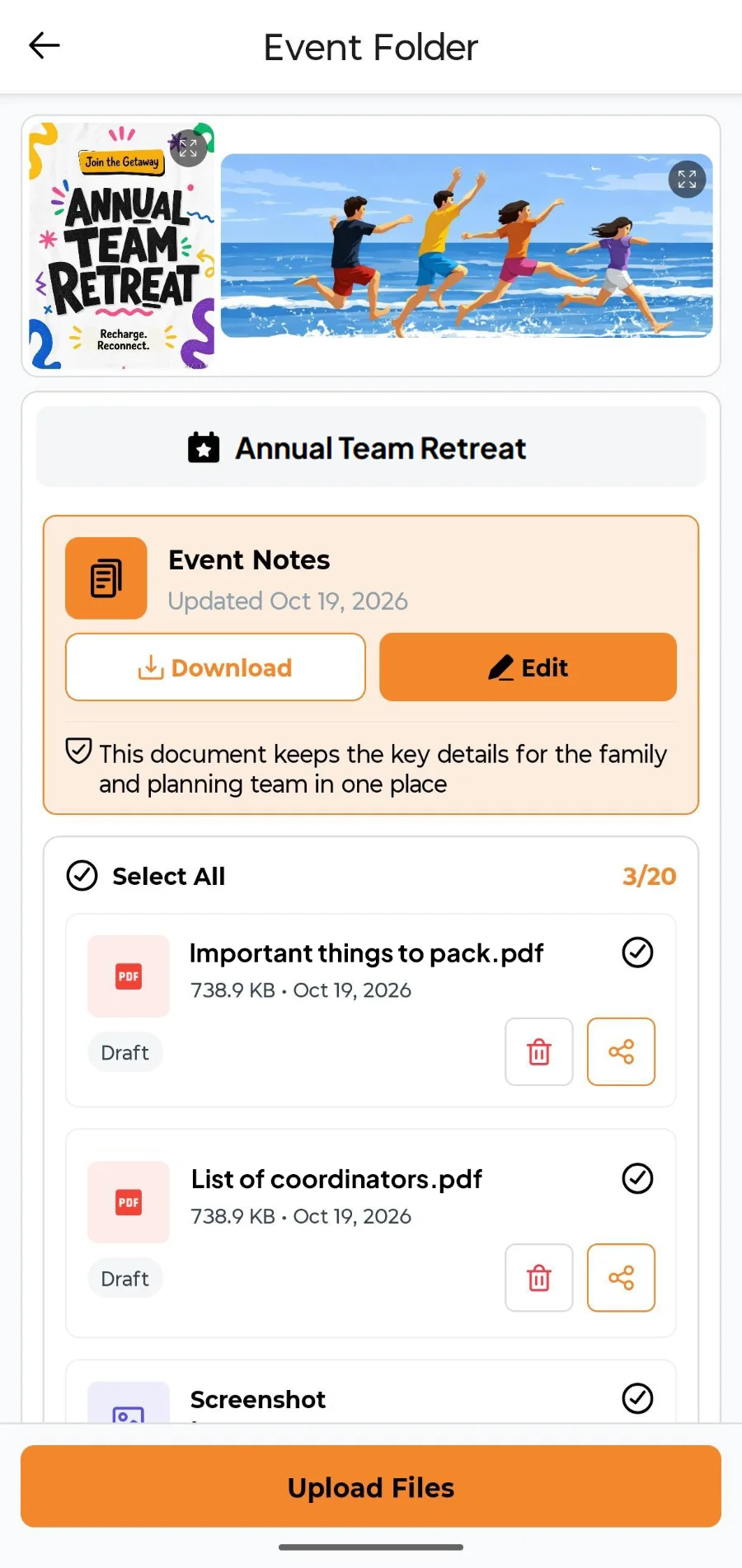
6. Put the practical stuff in one folder
Upload the venue map, the packing list, the dress code and the emergency numbers to the Event Folder, then share them so everyone can open them. Uploading alone keeps a file as a draft that only you see.
7. Let people check themselves in
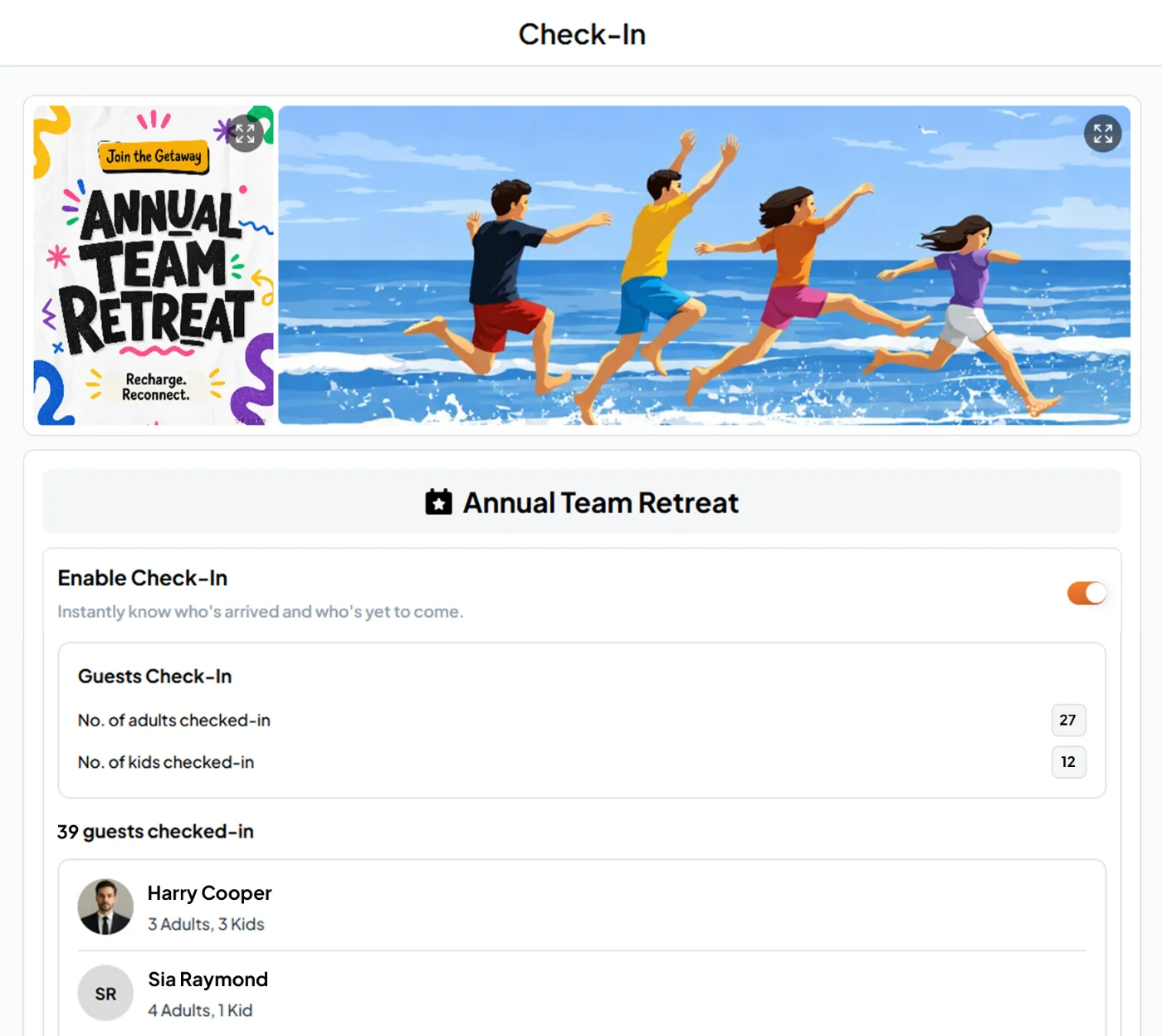
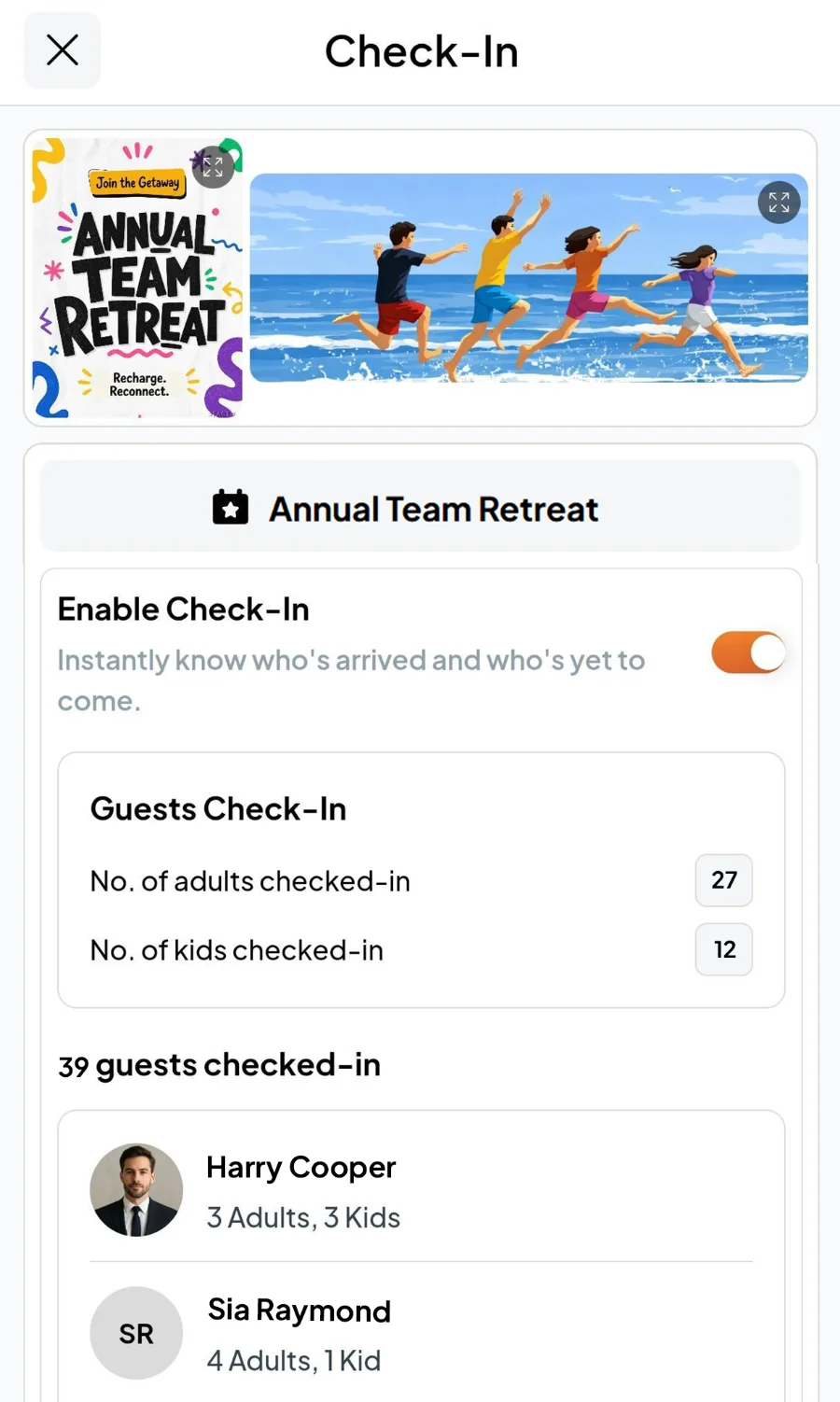
Turn on Check-In and colleagues check themselves in when they arrive, so you know exactly who's there before the bus leaves and how many plates the kitchen needs.
8. Photos and feedback
Keep the best photos from the weekend in one shared album, and use Feedback Corner to ask how it went the next day.
Next year starts from this year
Everything you collected stays with the event: who came, what they ate, which sessions worked, what people said afterward. Next year you start from that, not from a blank spreadsheet. If you plan events for a living and run offsites for several clients, see Jubila by Fast Party, built for planners and agencies.
Plan it with Claude
If you use Claude, tap the Claude icon at the top of any Fast Party page to add the connector. Then ask: "Set up our two-day team offsite for 40 people at the lake resort on 20 and 21 November, collect food preferences and travel details, and add the agenda." Claude creates the event and sets it up for you. Later you can ask "who hasn't sent their travel details?" or "how many vegan meals do we need?" See how to plan with AI.
Frequently asked questions
How far ahead should we plan a team offsite?
Six to eight weeks for a one or two-night offsite. Bigger groups, or anything with flights, need two to three months.
How long should an offsite be?
One overnight is enough for most teams. Two nights works when the team is big, spread out, or has a lot to decide.
How do we include remote colleagues?
Invite them on the same event, cover their travel if you can, and if they can't come, run the kick-off and the share-back on a video call.
What should we ask attendees before the offsite?
Food preferences and allergies, travel and arrival times, room needs, and anything they'd love to do. That last question is how the pottery workshop happens.
Bottom line
Decide why, lock the numbers, see the venue, ask before you assume, and give every job an owner. Start with the Annual Team Retreat invitation and keep the whole offsite on one page. Planning the office party season too? Read our office Diwali party guide.
Get Fast Party on Google Play or the App Store, or use it on the web.